Your Personal Golf Learning System
Stop losing the instruction that helps you.
Clip Caddie turns saved videos, practice notes, and swing fixes into a system you can return to at the range, before a round, or the next time the same miss shows up.
Not ready to sign up? Try Cady free — no account needed
Capture
Save the video. Timestamp key moments.
Practice
Link instruction to real sessions and cues.
Retrieve
Find what worked when you need it again.
Saved Instruction
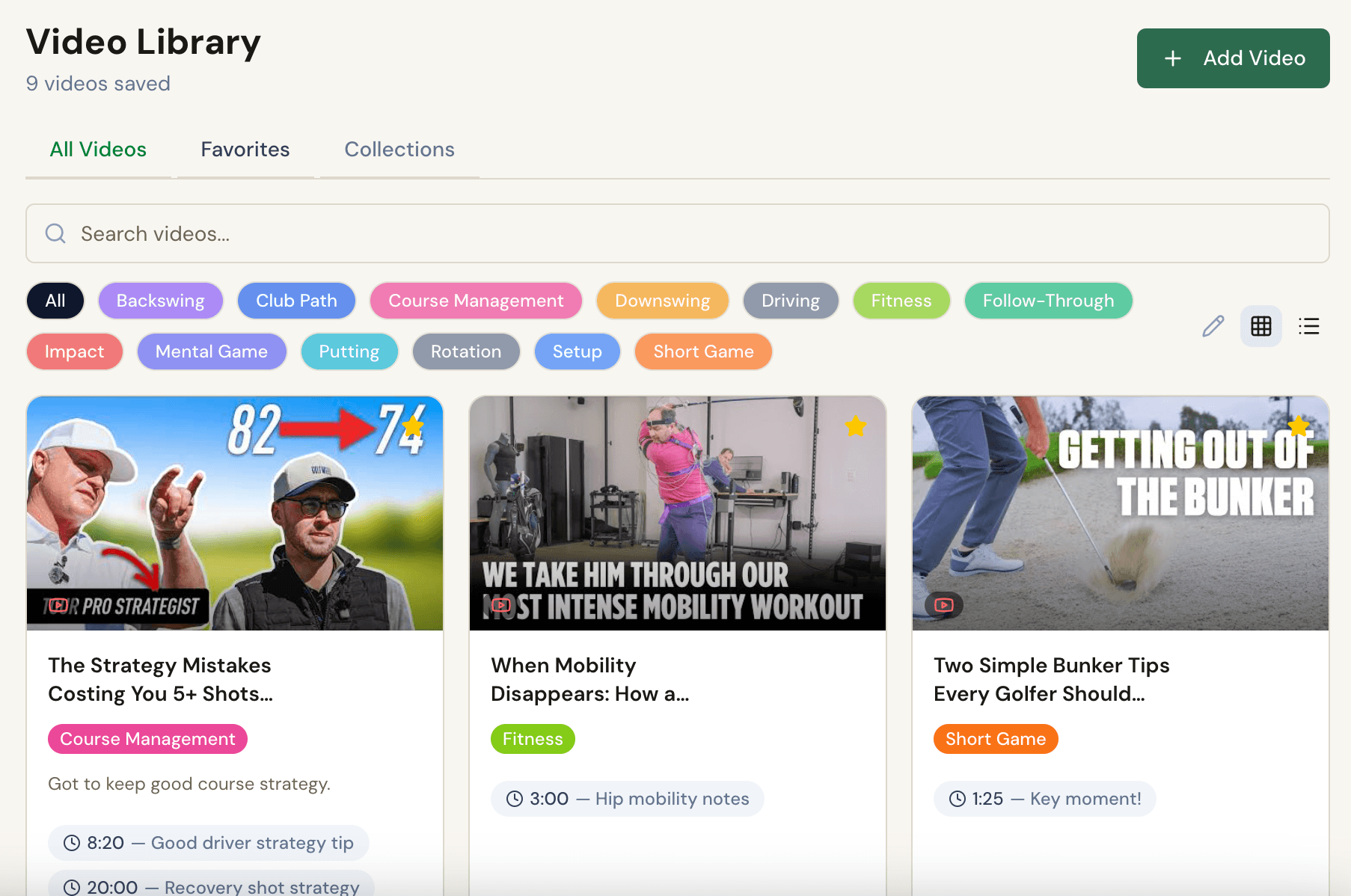
Library you can actually use
What clicked
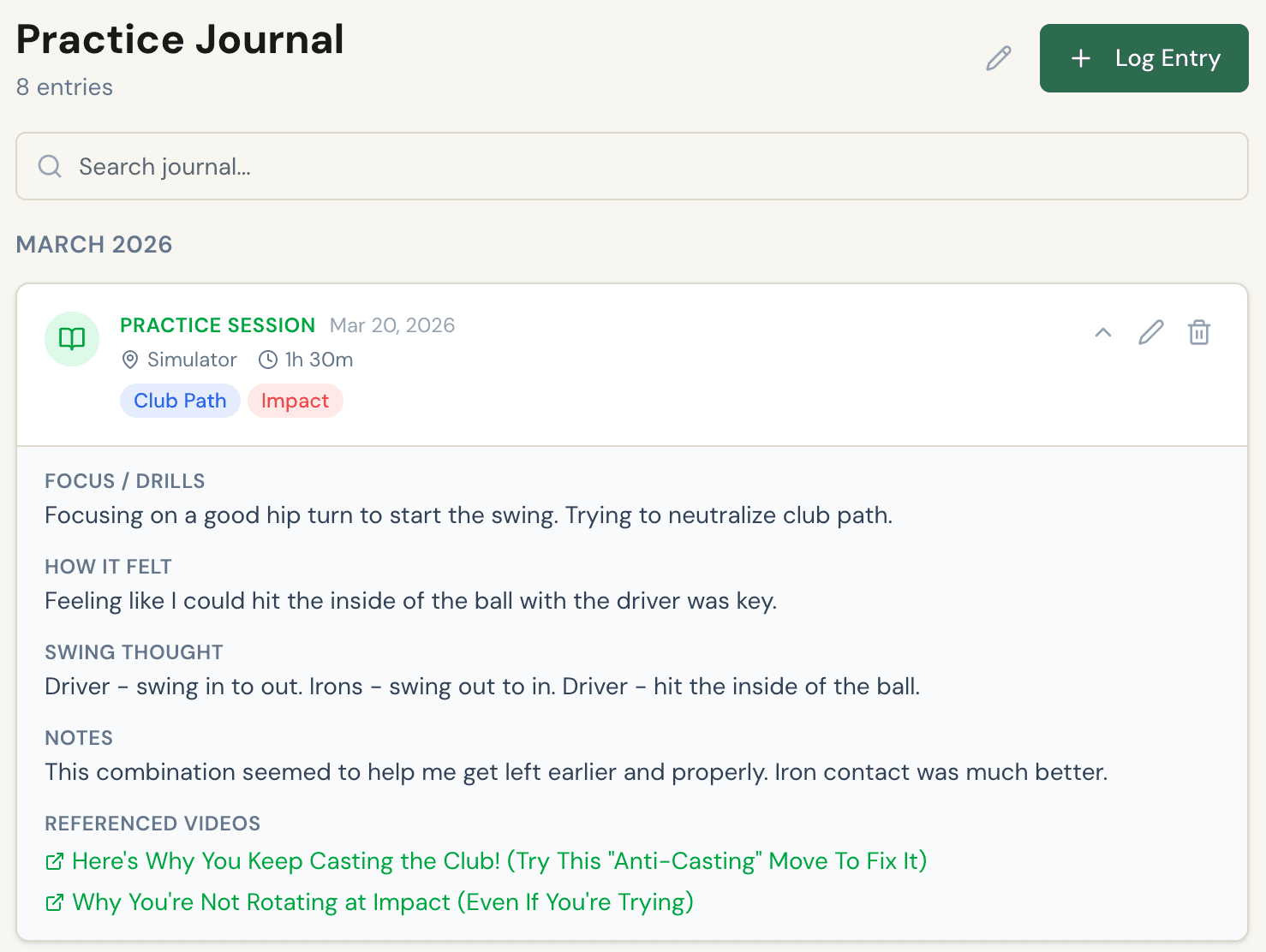
Driver: feel the inside of the ball. Neutralize club path before adding speed.
Practice Summary
8
sessions
390
minutes
Why this matters
When the same miss shows up next month, you have the drill, the cue, and the session where it worked.
The Problem
Most golfers don't need more tips. They need a way to keep the right one.
You watch a video, take a lesson, try a drill, and find a feel that improves your swing.
Clip Caddie is built for saving that. It has the note, the timestamp, the journal entry, and the fix you already proved to yourself.
That's the difference between collecting instruction and building a learning system.
Meet Cady
Saving it should be easier than losing it.
Cady is the AI assistant built into your account. Paste a link and it saves the video, pulls the title, and asks what to tag it. Describe what you worked on and it logs the session. Ask where a drill was and it finds the video and the timestamp.
Conversation instead of navigation.
No account needed. 8 messages, one full session log.
Cady
AI assistantHow The System Works
A better way to hold onto what worked.
The system helps you keep the instruction that matters, record what you worked on, spot recurring faults, and review your progress with context.
01 Capture
Build and organize your instruction library.
Tag instruction by what you are working on, star your go-to videos, and keep the exact timestamp where the cue finally made sense.
02 Reflect
Create a record of what you changed.
Practice journal entries keep the feel, drill, and referenced videos attached to the session where progress happened.
03 Monitor
Track your faults and tendencies over time.
Faults & Fixes pairs your swing faults with the drills and cues that work for you. Over time, you build a personalized troubleshooting guide for your swing.
Problem
Club path gets too far in-to-out under pressure.
Working fix
Feel left earlier. Rehearse neutral path before adding speed.
Proof
Big match on Mar 20: driver contact tightened up.
04 Review
See the pattern, not just the last session.
Tracking turns scattered sessions into a review habit. You can see frequency, minutes, and whether your attention is actually showing up in practice.

What review should answer
- Are you practicing the thing you keep saying matters?
- What cue held up across multiple sessions?
- When did this fault last start getting better?
Fair Question
Why not just use YouTube playlists and Notes?
Because those tools can store fragments, but they do not turn instruction into a repeatable practice workflow.
Tag by swing element or problem
YouTube
Notes
Clip Caddie
Keep your own timestamps inside the lesson
YouTube
Notes
Clip Caddie
Link instruction to a real practice session
YouTube
Notes
Clip Caddie
Track a fault and the fix that helped
YouTube
Notes
Clip Caddie
Review progress across weeks and months
YouTube
Notes
Clip Caddie
Save a video by pasting a URL in chat
YouTube
Notes
Clip Caddie
Search your library in plain language
YouTube
Notes
Clip Caddie
Option
YouTube playlists
Option
Notes apps
Option
Clip Caddie
Tag by swing element or problem
Keep your own timestamps inside the lesson
Link instruction to a real practice session
Track a fault and the fix that helped
Review progress across weeks and months
Save a video by pasting a URL in chat
Search your library in plain language
Built To Solve This Problem
Built by a golfer who got tired of saving tips everywhere and still losing the ones that worked.
Pricing
Start free. Upgrade when this becomes how you practice.
The upgrade should feel like commitment, not punishment. Free gives you enough space to prove the system to yourself. Pro is for the golfer who wants all of it in one place.
Free
$0
to start
Enough room to stop losing what worked and decide if the workflow fits your game.
- Save up to 25 videos
- Tags, timestamps, and search
- Up to 15 journal entries
- Goal tracking and Faults & Fixes basics
- 10 Cady messages per day
Pro
$8
/month or $72/year
Build your complete learning system with unlimited history, deeper review, and full organization tools.
- Unlimited Cady — log sessions by voice or text, anytime
- Unlimited videos, favorites, and journal entries
- Collections for organizing tips
- Practice tracking and progress charts
- Full Faults & Fixes history
Your Field Guide Starts Here
Save the tip. Log the session. Keep the thing that finally worked.
That's the loop. Clip Caddie gives it a home so your improvement does not disappear into playlists, notes, and half-remembered feels.
What you'll build
- A library of instruction worth revisiting
- A practice journal with proof, not just intentions
- A running record of faults, fixes, and patterns